cQASM converter
As usual, we start by importing the needed libraries. Note that this notebook requires the installation of cQASM (which can be easily done with pip install libqasm). Perceval-interop can also be installed with the command: pip install perceval-interop[cqasm] to automatically install cQASM.
[1]:
from perceval_interop import CQASMConverter
from perceval import pdisplay, SimulatedComputer, ExecutionFactory
Then we write our cQASM program.
[2]:
cqasm_program = """
version 3
qubit[2] q
H q[0]
CNOT q[0], q[1]
"""
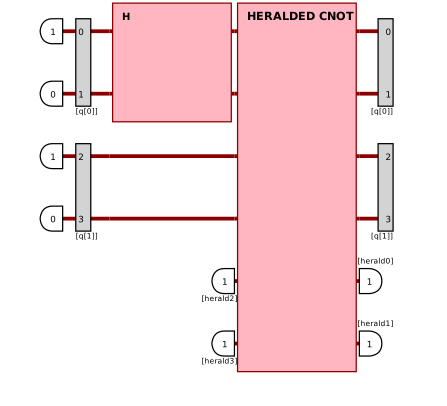
We convert it with the Perceval CQASMConverter.
[3]:
perceval_experiment = CQASMConverter().convert(cqasm_program, use_postselection=False)
The output probabilities can now be computed using Perceval.
[4]:
computer = SimulatedComputer("SLOS")
with computer.acquire():
    r = ExecutionFactory(computer, perceval_experiment).probs()['results']
print('results:', r)
pdisplay(perceval_experiment)
results: {
        |1,0,1,0>: 0.5000000000000002
        |0,1,0,1>: 0.4999999999999999
}
[4]:
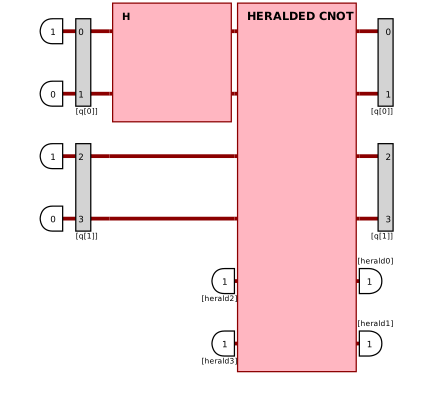
The 1.0 version of cQASM is also supported, as shown in the example below.
[5]:
# version 1.0
cqasm_program = f"""
version 1.0

# a basic cQASM example
qubits 2

.prepare
prep_z q[0:1]

.entangle
H q[0]
CNOT q[0], q[1]

.measurement
measure_all
"""
[6]:
perceval_experiment = CQASMConverter().convert(cqasm_program, use_postselection=False)

with computer.acquire():
    r = ExecutionFactory(computer, perceval_experiment).probs()['results']
print('results:', r)
pdisplay(perceval_experiment)
results: {
        |1,0,1,0>: 0.5000000000000002
        |0,1,0,1>: 0.4999999999999999
}
[6]:
The cQASM program can also be retrieved from a file by using CQASMConverter().convert(path_to_cqasm_program).